
Jump to section


Sie können die gesuchte Antwort nicht finden? Keine Sorge, wir sind hier, um zu helfen!
Kontakt zum SupportVersion 28 of hsbMake
hsbMake Version 28 focuses on improving production transparency, automation, and control across the factory floor. This version 28 release strengthens the connection between planning and manufacturing with the new Randek integration, enhances real-time monitoring through the Production Viewer, and introduces tools that help production teams identify issues before work begins, such as the Validation App.
Several new applications within hsbMake Office, including the Distributor App, Production Grouping App, and Server Administration App, provide better control over routing, monitoring, and system management. At the same time, updates to hsbClient, label printing, and operations tracking improve efficiency on the shop floor and simplify daily workflows for operators and production managers.
With additional improvements such as mobile support for hsbClient, enhanced device security, and the upgrade to .NET Core, Version 28 delivers a more connected, transparent, and reliable production environment. Helping teams detect issues earlier, reduce manual steps and keep production running smoothly.
Randek Integration
hsbMake Version 28 introduces a two-way integration with the Randek Production Planner, enabling direct communication between hsbMake and Randek production equipment. This integration improves the connection between planning and manufacturing by allowing production jobs to be transferred automatically and by providing real-time feedback from the production line.

With this integration, users gain better visibility into the production process and can manage job execution more efficiently within hsbMake.
Technical Details and Functionality
- Automated Job Transfer
Jobs can be sent directly from hsbMake to the Randek Production Planner, allowing production tasks to be automatically transferred to connected Randek machines or production lines. - Production Status Feedback
During execution, production status updates are sent back from the Randek system to hsbMake, giving users insight into the current progress of jobs on the production floor. - Synchronized Job Status
Job status is synchronized across production steps and workstations, ensuring that planning, monitoring, and production data remain consistent throughout the workflow.
Watch the explainer video in depth:
Production Viewer Enhancements
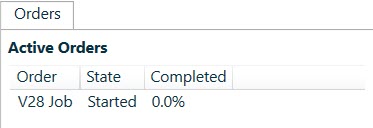
- Order Completion Percentage
The Production Viewer now displays the completion percentage for each order currently in production, allowing users to quickly assess the progress of ongoing job
- Improved Search Functionality
An enhanced search feature makes it easier to locate specific orders, elements, or items within the production overview, improving efficiency when managing large production queues.

- Relationship Tracking for Units of Work
The viewer now supports relationship tracking between units of work, helping users better understand how individual production tasks are connected throughout the workflow.
- Extended Tooltip Information
Tooltips have been expanded to provide additional operational details, including:- Port numbers
- Workstation capacity
- Available jobs for each workstation
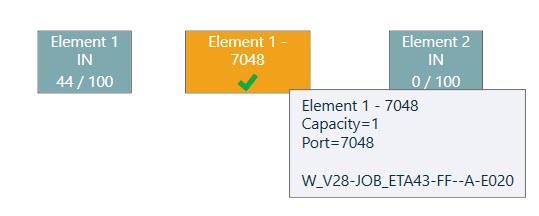
These enhancements provide a clearer overview of the production process and support faster decision-making on the shop floor.
Watch the explainer video in depth:
Label Printing Improvements
The label printing functionality in hsbMake has been extended to support direct label reprinting from both production and office environments. This improvement allows users to quickly regenerate labels when needed, reducing reliance on production management and minimizing workflow disruptions.

Enhancements
- Reprint Labels from hsbClient
Labels can now be reprinted directly from hsbClient, enabling production staff to quickly regenerate labels on demand without requiring additional steps in the production management system.
- Reprint Labels from hsbMake Office
Office users can now also reprint labels directly from hsbMake Office, providing greater flexibility and faster response when labels need to be replaced.
- Reduced Dependency on Production Management
The ability to reprint labels directly from both environments reduces the need for production management intervention when labels are lost, damaged, or require replacement.
- Improved Recovery from Printing Issues
Printer failures or damaged labels can now be resolved quickly by reprinting the required labels, helping maintain smooth production flow and minimizing downtime.
Watch the explainer video in depth:
Validation App
The Validation App is now integrated into hsbMake Office, enabling users to verify project model data before releasing it to production.
Using rule-based validation checks, the Validation App helps identify potential issues early in the workflow, reducing production errors and improving data quality.
By validating models before they reach the shop floor, companies can ensure that the data used for manufacturing meets predefined quality and consistency standards.
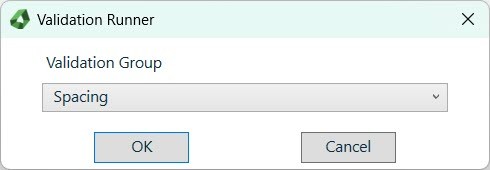
For more information about the Validation Manager, see:
hsbExport | Validation Manager & Inspector in hsbDesign24 / 25 / 26 | Articles | hsbAcademy
Technical Details and Functionality
- Validation Manager
Allows users to configure validation rules and organize them into Validation Groups for structured validation workflows. - Validation Runner
Executes validation groups against project models. The results highlight detected issues, enabling users to resolve them before production begins. - Rule-Based Model Validation
Supports configurable validation logic to verify project data, helping ensure that models are complete, consistent, and ready for production.
Watch the explainer video in depth:
hsbClient Update
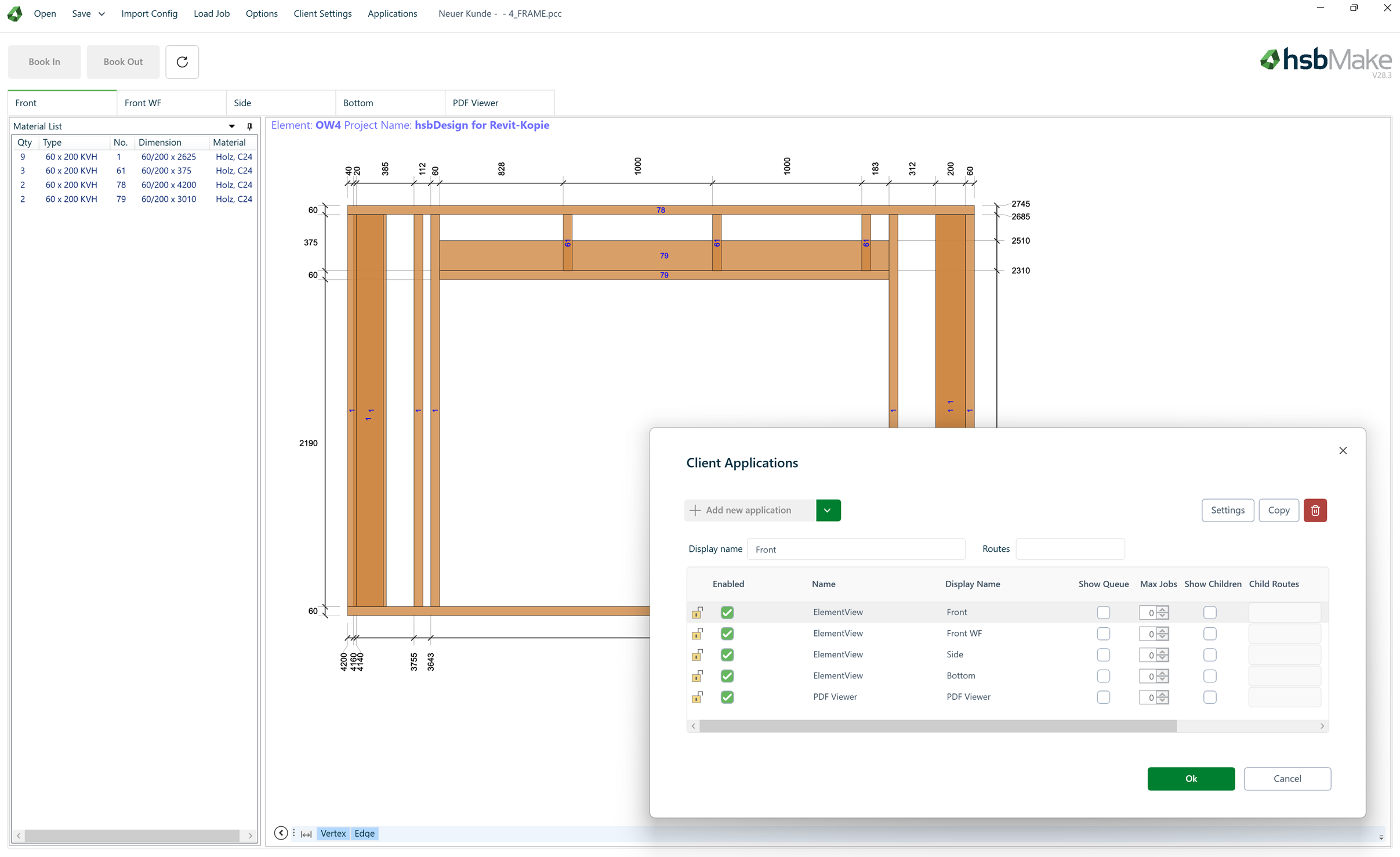
The hsbClient application has been updated with a redesigned user interface, improved configuration capabilities, and enhanced visualization features. These updates improve usability on the shop floor and provide better support for production monitoring and quality control workflows.
- UI Redesign
The user interface has been redesigned to provide a more intuitive and modern user experience, making it easier for operators to navigate and interact with production information.
- Support for Relative Paths
Configuration now supports relative file paths, simplifying deployment and making it easier to manage installations across different production environments.
- Improved Image Capture for Quality Control
The image capture functionality has been enhanced, allowing operators to capture and store images more efficiently for production documentation and quality control processes.
- Mobile Application Support
hsbClient can now be used on Android and iOS tablets, providing greater flexibility for operators and supervisors to monitor production directly from mobile devices.
- New Visualization Icons for Walls
Additional visualization icons have been added to improve clarity when displaying wall elements in the production interface.
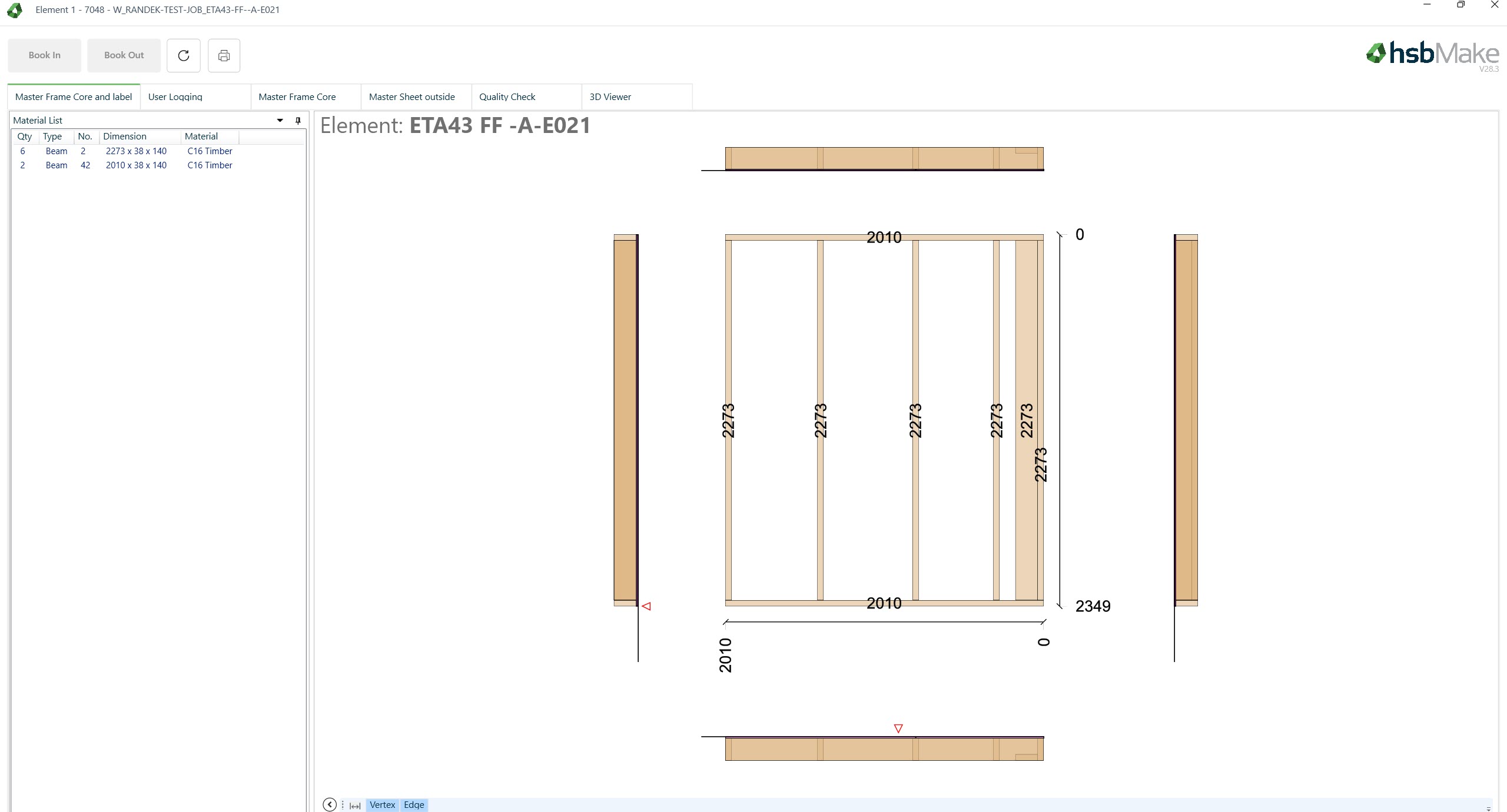
- Enhanced Visualization of Metal Parts
New visualizations for metal components provide better insight into metal parts during production preparation and monitoring.
Watch the explainer video in depth:
Operations Enhancements
The Operations functionality in hsbMake has been extended to provide more detailed tracking and visualization of production steps. These improvements offer better insight into production workflows and allow users to monitor the progress of orders and individual operations more effectively.
Enhancements
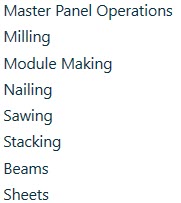
- Expanded Operations Support
The number of available operations within production workflows has been increased, allowing more detailed configuration and tracking of manufacturing steps.
- Real-Time Progress Indicator
A real-time progress bar has been added to the Order App, providing a clear visual representation of order progress throughout the production process.

- Support for Parent and Child Operations
Operations can now be applied to both parent and child relations, improving the ability to track complex production hierarchies and dependencies.

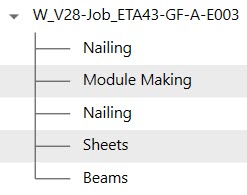
- Operations Tree View in the Order App
A new tree view structure has been introduced in the Order App, enabling users to easily navigate and understand the relationships between different operations within a production workflow.
Watch the explainer video in depth:
Server Administration App
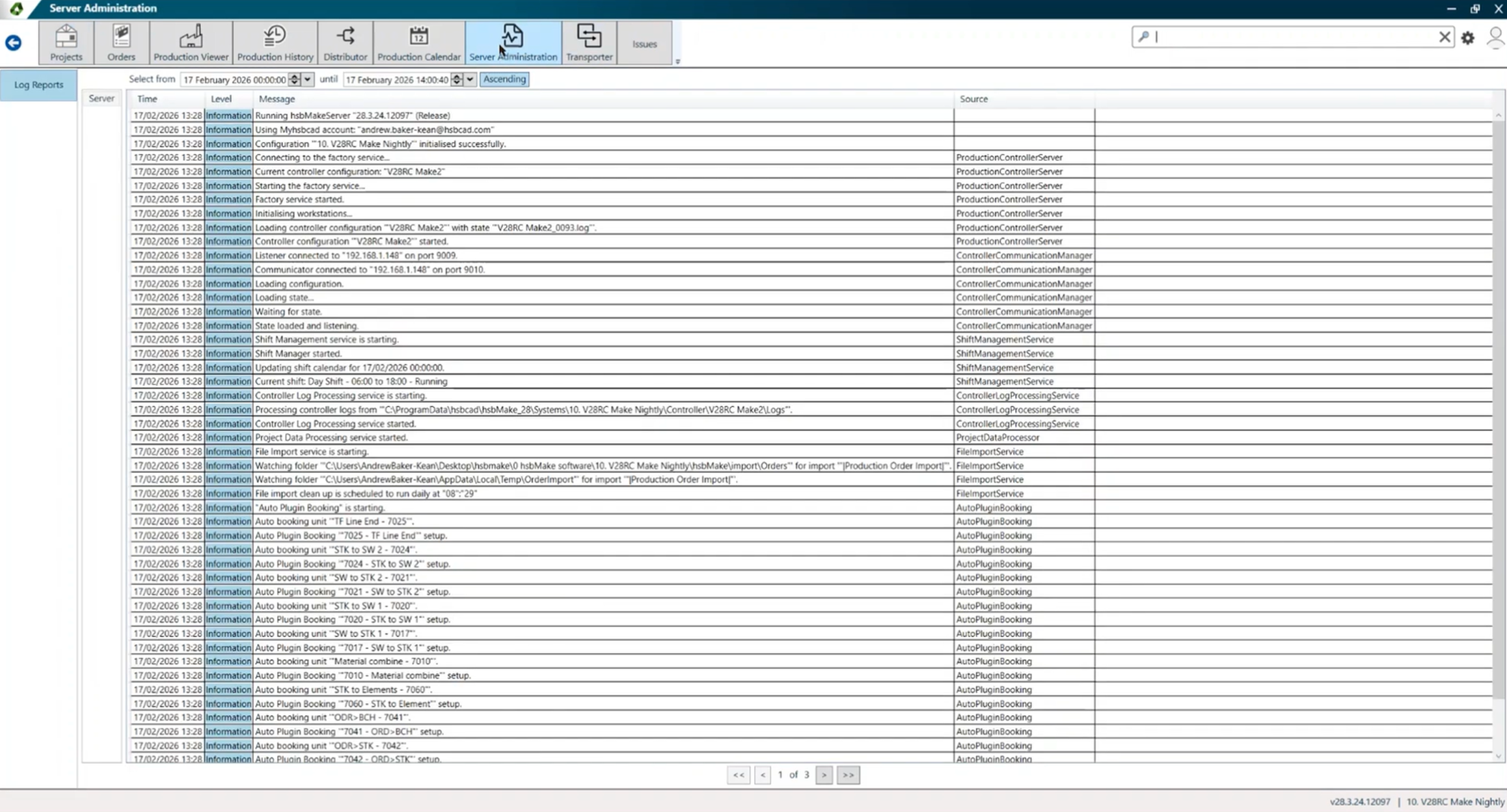
A new Server Administration App has been introduced in hsbMake Office, providing administrators with an easier way to monitor and analyze server activity. The application offers direct access to server log entries, allowing users to quickly review, search, and identify issues within the hsbMake server environment.
By centralizing log monitoring in a dedicated interface, administrators can diagnose problems faster and maintain better oversight of system operations.
Features
- Integrated Log Viewer
The Server Administration App provides a centralized view of server logs directly within hsbMake Office, eliminating the need to manually locate log files. - Searchable Log Entries
Log entries can be searched and filtered, making it easier to find relevant information when investigating issues or monitoring system activity. - Log Status Indicators
Each log entry includes a visual indicator to quickly identify its status:- OK – The log entry indicates normal system behavior.

- Warning – The log entry requires attention but does not indicate a critical issue.

- Error – The log entry identifies the source of a problem that may require immediate action.

Watch the explainer video in depth:
Distributor App in hsbMake Office
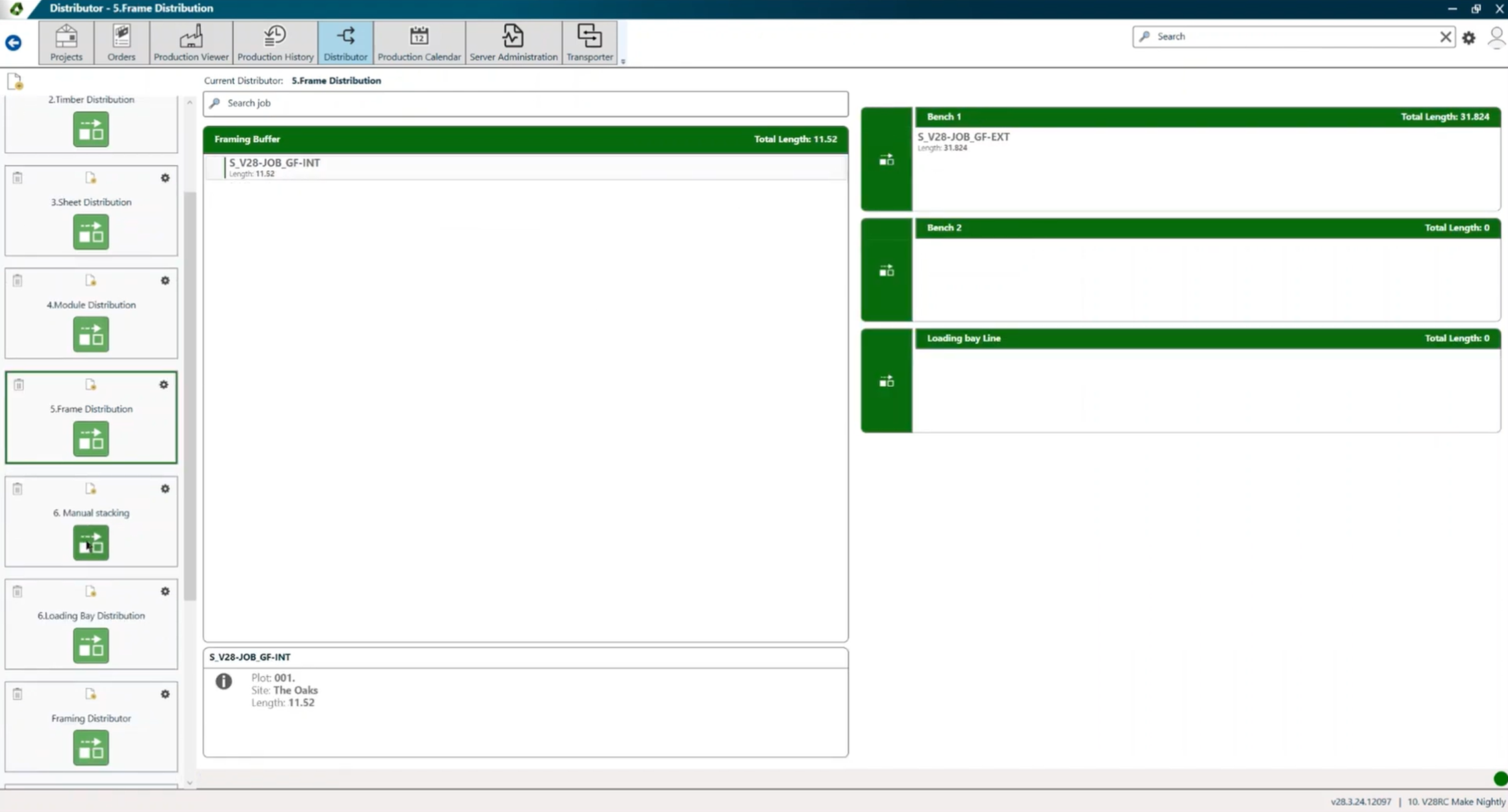
The Distributor functionality is now available through a dedicated Distributor App in hsbMake Office. This application allows users to manage and configure the routing logic used to manually distribute production items within the system.
By centralizing distributor management in a single interface, users can more easily control how items are assigned and routed throughout the production workflow.
Features
- Distributor Selector
The Distributor App provides a clear overview of all configured distributors and allows users to select and manage them efficiently. - Create New Distributors
Users can create new distributor configurations to define custom routing logic for production items. - Edit Existing Distributors
Existing distributors can be modified to update routing rules or adjust production workflows. - Delete Distributors
Distributors that are no longer needed can be removed directly from the application. - Desktop Shortcuts
The application allows users to create desktop shortcuts for distributors, enabling quick and convenient access to frequently used configurations.
Watch the explainer video in depth:
Production Grouping App
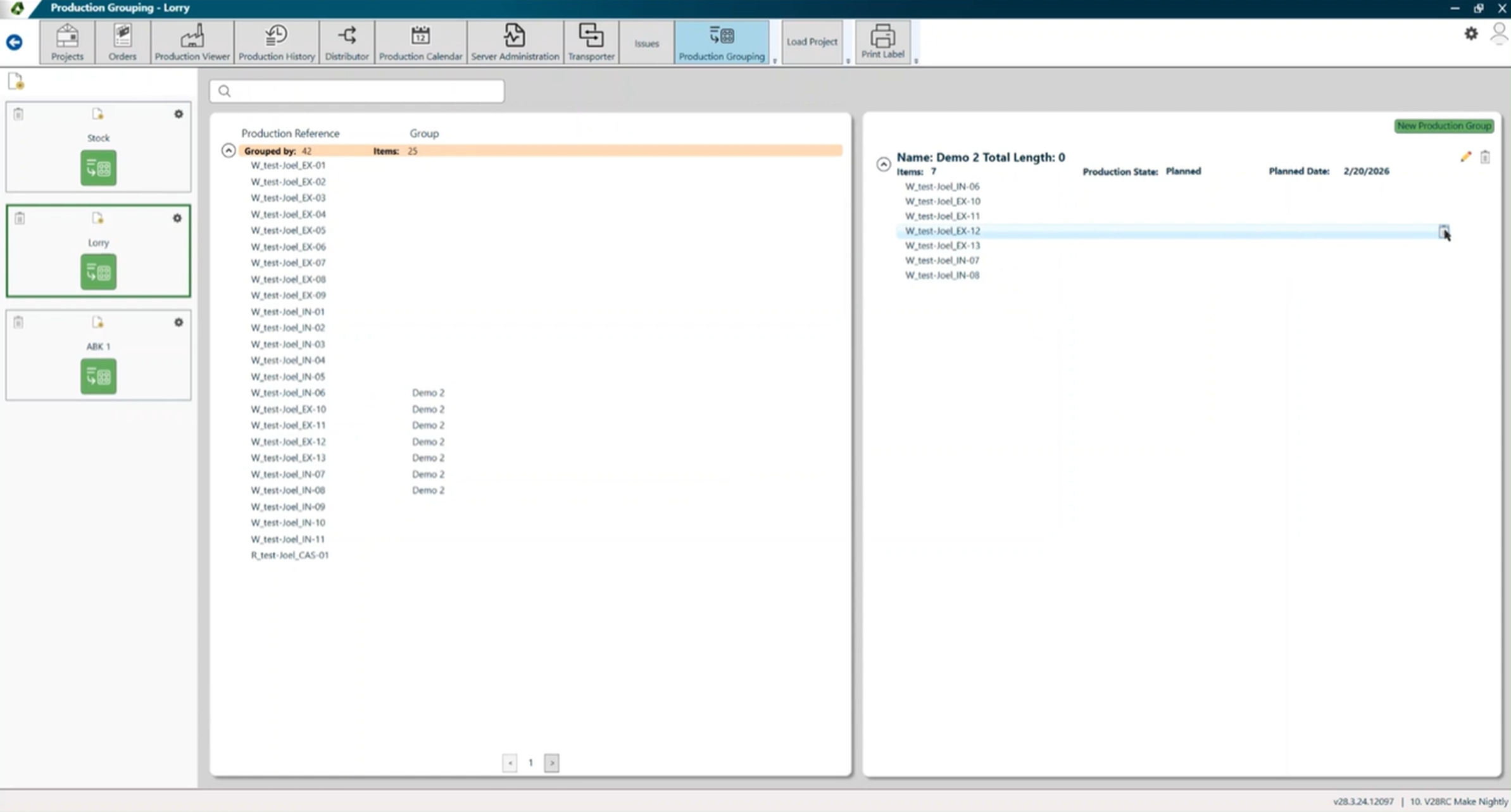
The Production Grouping App allows users to combine jobs, stacks, or batches into logical groups for better control over production workflows. By organizing production items into groups, users can selectively release and manage related tasks together, improving efficiency and monitoring throughout the production process.
The app provides a visual interface within hsbMake Office, making it easy to organize and manage grouped production items.
Features
- Grouping of Production Items
Jobs, stacks, or batches can be combined into logical groups, allowing related production items to be managed together. - Selective Release of Groups
Groups can be released to production selectively, enabling users to control when and how specific sets of items are processed. - Visual Management Interface
The grouping structure can be managed through a visual interface in hsbMake Office, providing a clear overview of grouped items and their status within the production workflow.
Watch the explainer video in depth:
Security and Platform Upgrade
hsbMake Version 28 introduces several improvements to system security, platform performance, and device management. The platform has been upgraded to the latest .NET Core framework, providing better performance, improved security, and long-term platform support.
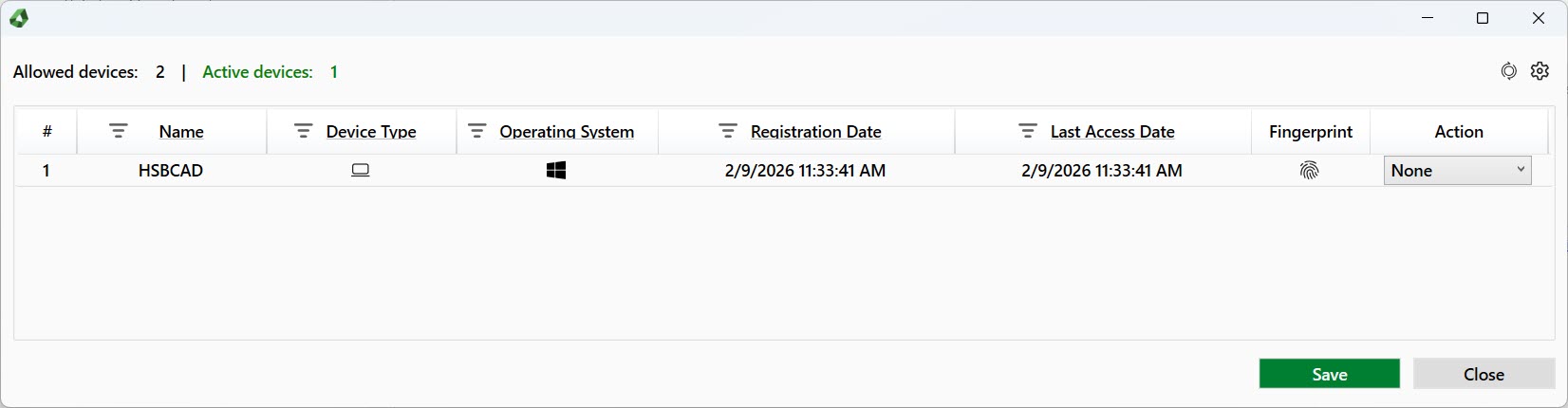
In addition, a new Device Manager provides administrators with better visibility and control over devices connected to the hsbMake server.
Platform Upgrade
- Upgrade to .NET Core
The hsbMake platform has been upgraded to .NET Core, delivering improved performance, enhanced security, and better compatibility with modern system environments.
Device Manager
The Device Manager helps administrators verify authorized system usage.
Features include:
- Device Visibility
View all devices currently connected to the hsbMake server. - Authorized Device Overview
Displays devices that are authorized through the myhsbcad contract, helping administrators verify approved system usage. - Connection Status Monitoring
Identify which devices are actively connected to the server, providing insight into system usage and device activity.
Watch the explainer video in depth:
hsbMake Server Service Enhancements
hsbMake Version 28 introduces several improvements to the hsbMake Server Service, focusing on increased transparency, improved usability, and greater flexibility during deployment and maintenance. These enhancements make it easier for administrators to monitor server activity, troubleshoot issues, and manage different software versions.

Enhancements
- Updated Service Interface Appearance
The visual appearance of the server service interface has been updated to improve clarity and usability when monitoring server activity and system status. - Version Information in Logs
Server log entries now include the running hsbMake version number, allowing administrators to quickly identify which version is active when reviewing logs or diagnosing issues. - Side-by-Side Execution Support
The server service now supports side-by-side execution of different hsbMake versions. This allows multiple versions of hsbMake components to run concurrently on the same system, enabling safer testing of new versions and smoother transitions during upgrades or deployments.