
Jump to section


Sie können die gesuchte Antwort nicht finden? Keine Sorge, wir sind hier, um zu helfen!
Kontakt zum SupportVersion 30 of hsbDesign for AutoCAD®
New and improved in hsbDesign 30 for AutoCAD®
This update brings beam properties directly into the Detail Editor, a new tool to show and change attached details on the fly, and easier reuse of Framing Styles across ACA and Revit. The Inventory Manager now consolidates beam and sheet data into a single catalog, while hsbView and hsbMake are accessible directly from the ACA ribbon for faster review and a smoother handover to production.
Additional improvements include more accurate nailing around openings, a new corner relief cut (Eckfreistich) for BVX/BTL machine output, expanded IFC import support, and continued refinements to Painter, Compare Bodies, and BTLx export.
Detail Editor & Framing Styles
Version 30 puts more detailing power directly into the hands of the designer:
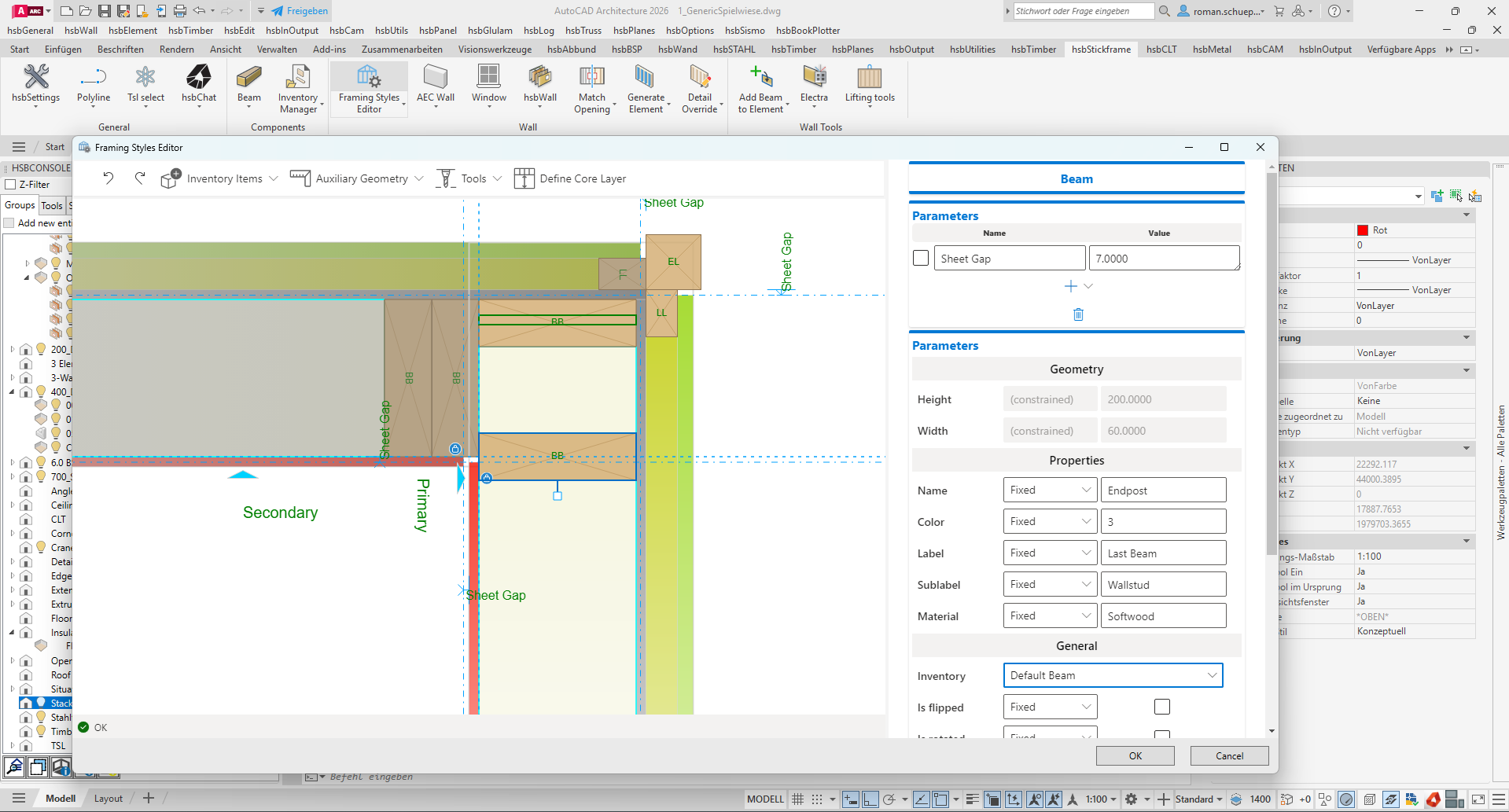
- Individual properties in the Detail Editor – Beam properties such as color, beam code, label, sublabel, name, and material can now be set directly within the Detail Editor. Previously, this required configuring separate property-mapping plugins; these properties are now a built-in part of the standard detailing workflow, giving full control over production-critical identifiers without extra setup.
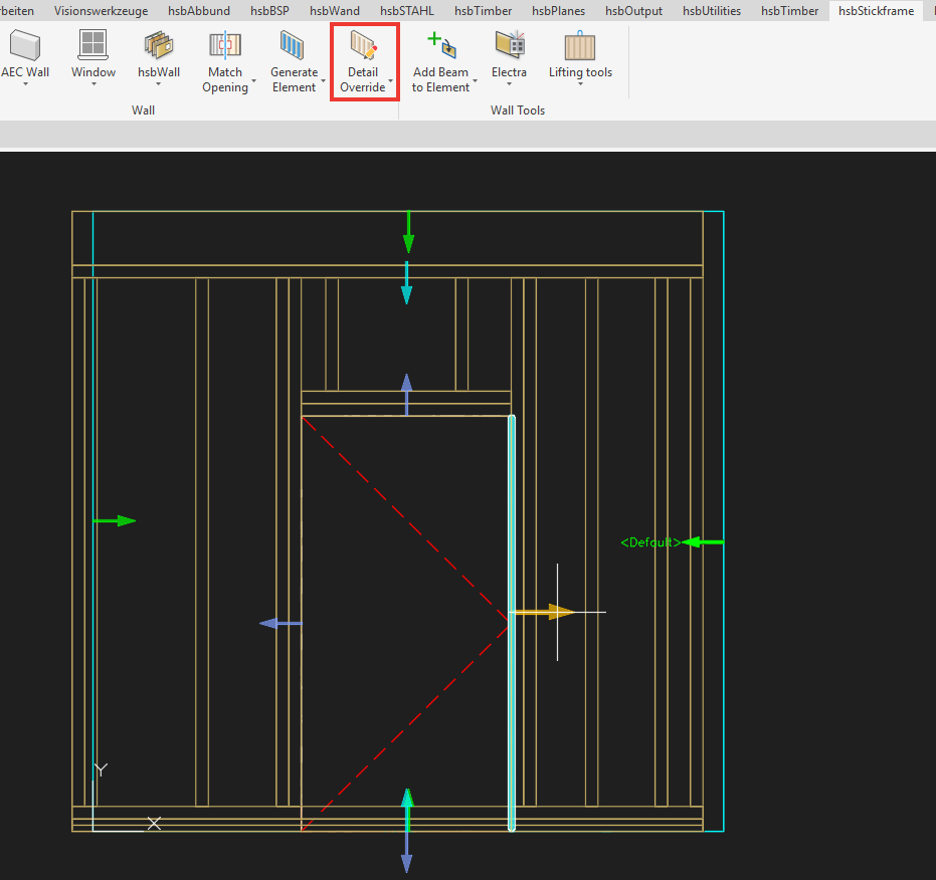
- Show and change attached detail – A new tool displays which detail is currently attached to a wall connection, edge, or opening, and lets users switch to a different detail directly from the model. This brings the same familiar workflow already used for classic walls to Himalaya framing, so corrections no longer require redrawing.
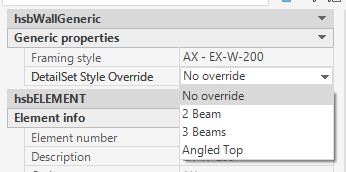
- Detail set override – The detail set assigned to a Wall Element can now be overridden on an individual, per-instance basis, without changing the framing style it belongs to. Ideal for handling one-off exceptions in a project.
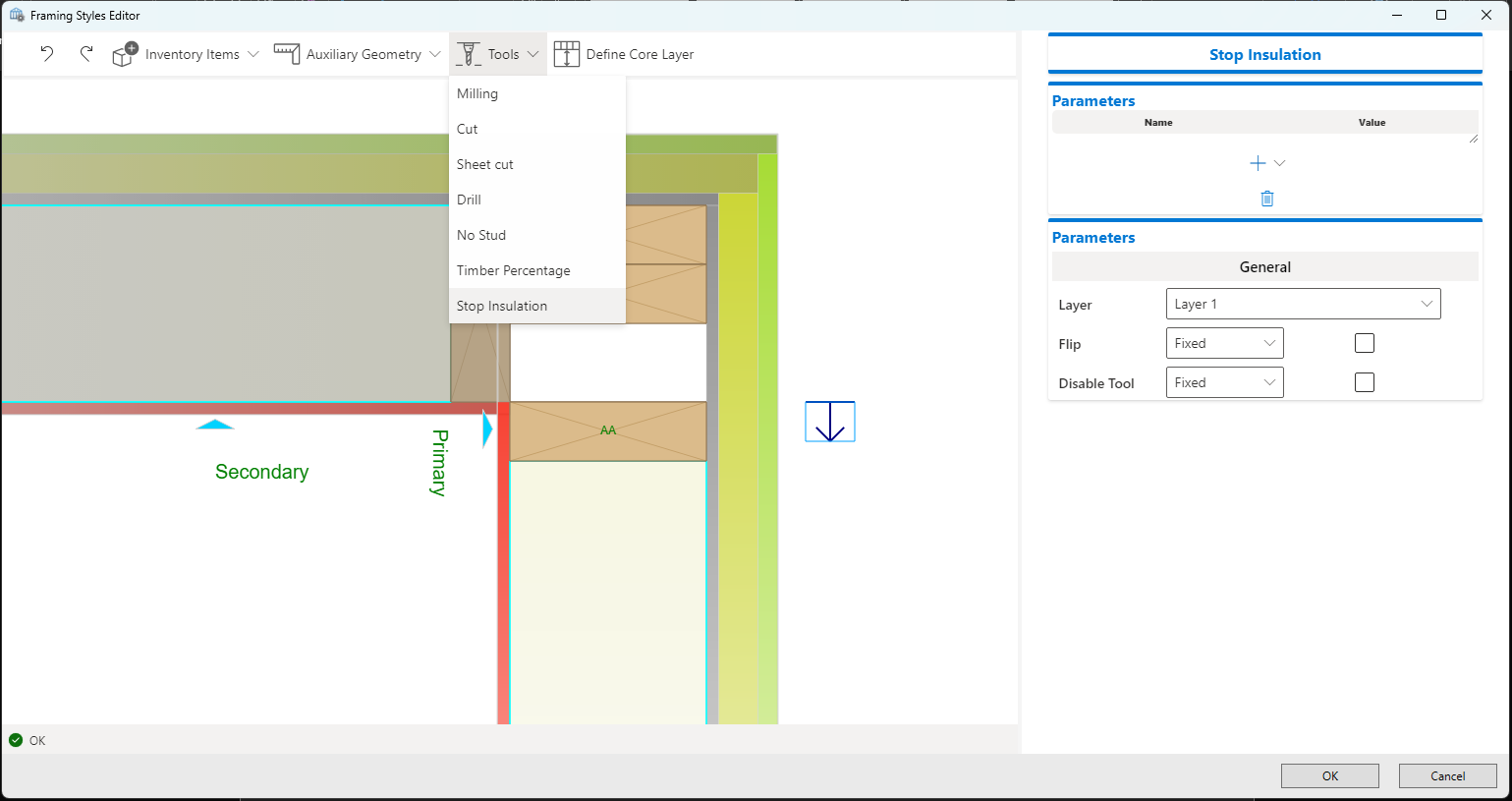
- TSL access in the Framing Styles Editor (ACA) – TSL and element plugins are now accessible directly from within the Framing Styles Editor, alongside the existing Extension plugins, bringing all plugin types together in one place.
- Extrusion profiles for walls – Wall elements in the Framing Styles Editor now support extrusion profiles, adding more design flexibility for wall framing with consistent support across element types.
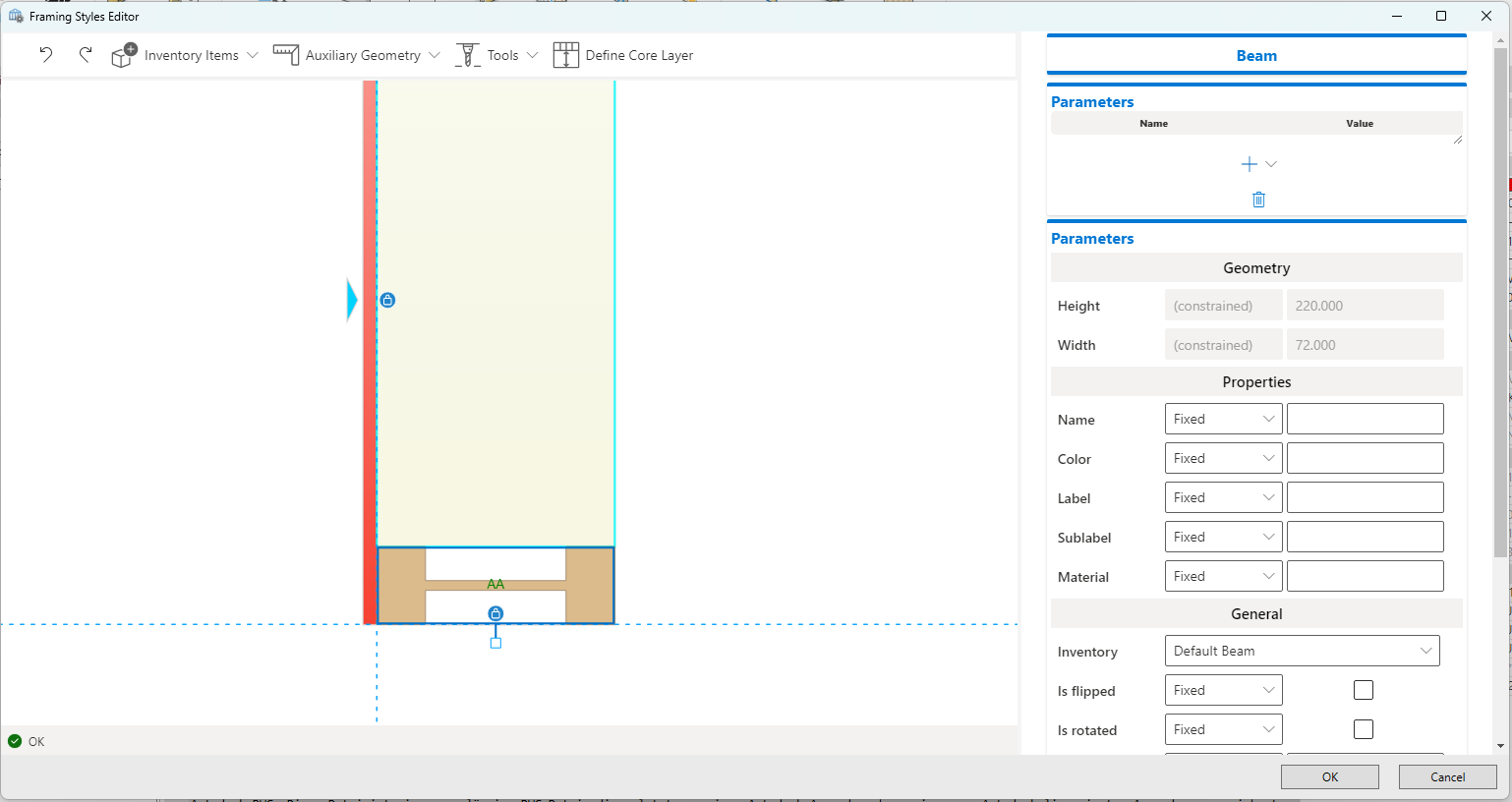
- Insulation for Generic Wall elements – Generic Wall elements in Himalaya now support insulation, resulting in more complete, production-ready wall, floor, and roof assemblies.
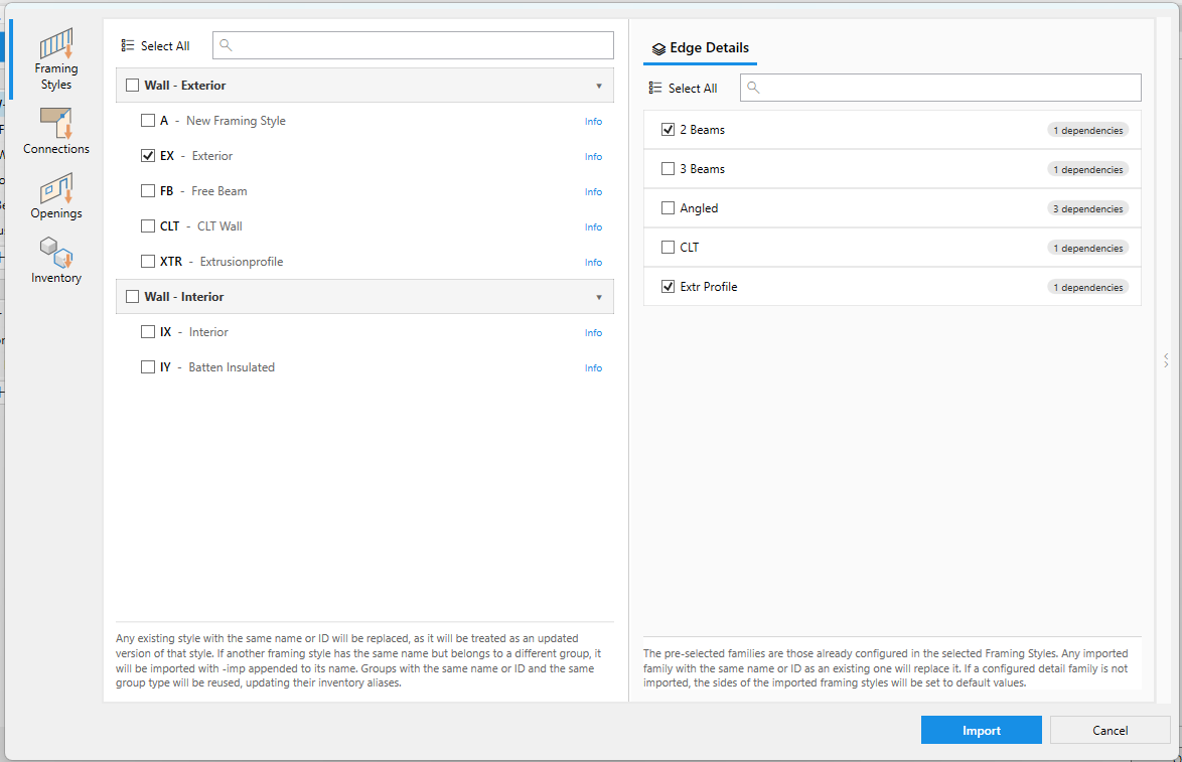
- Merge Framing Styles, Connections & Opening Details between drawings – Framing Styles can now be exported from one drawing and imported into another. During import, users choose exactly which Element Styles, Details, and Inventory items to bring over, so only what's actually needed is transferred. Making it easier to standardize framing setups across a team or company.
hsbView & hsbMake Integration
Reviewing and handing off a project is now more directly connected to the design environment:
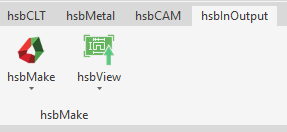
- hsbView in hsbDesign for ACA – A new ribbon command lets designers preview their project directly in hsbView from within hsbDesign. This replaces the older Shop Drawing Explorer with a single, consistent viewer used across the hsbcad product line.
- Launch hsbMake from ACA – A new ribbon command lets ACA users send selected elements straight to hsbMake for production. Existing export settings are reused automatically, or a default one is created if none exists yet, so no manual export configuration is needed for standard use.
Inventory & Hardware
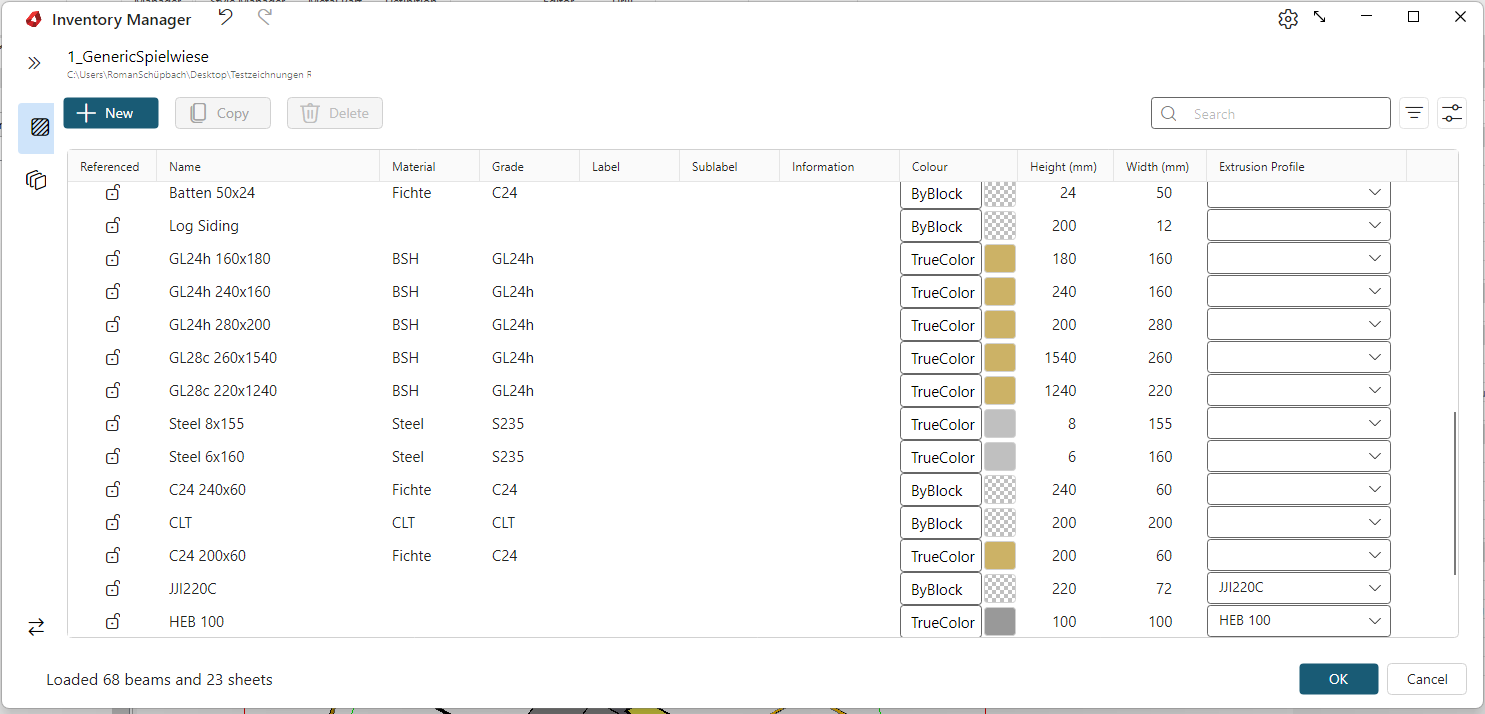
- Inventory Manager – Beams and sheets are now managed through a single, central Inventory Manager backed by one unified catalog file, replacing the previous setup of separate files and drawing-based settings.
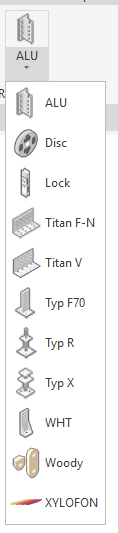
- Rothoblaas connector library – The Rothoblaas hardware library has been extended and updated with new connector products and updated geometries. Obsolete items have also been removed to keep the catalog clean and easy to navigate.
- Generic Hanger improvements – The Generic Hanger tool has been enhanced with better automatic detection of connection points on beams and trusses, and now uses one shared hanger database for both ACA and Revit.
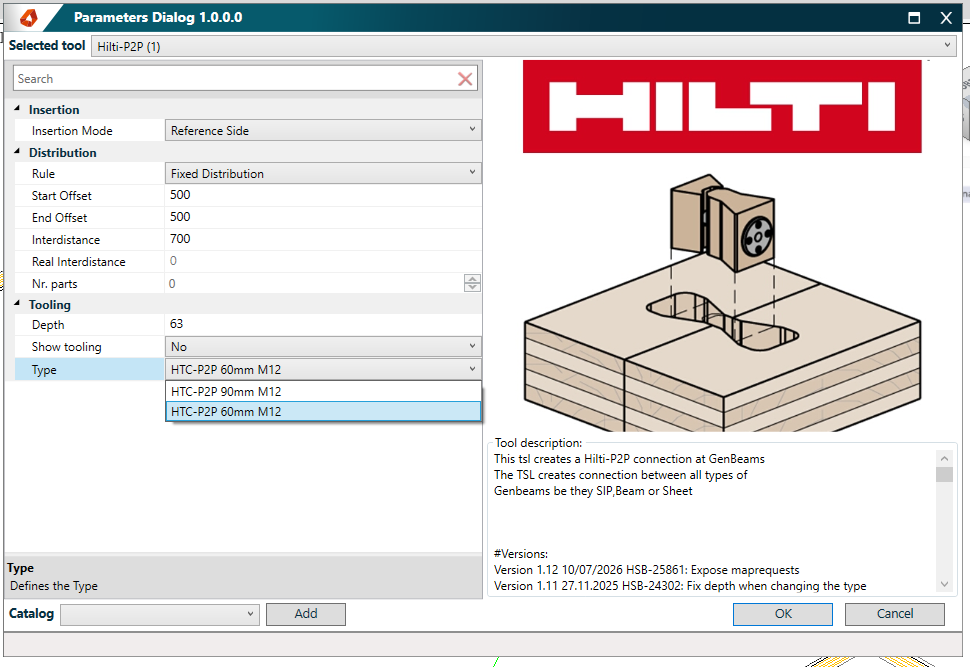
- Hilti P2P – new 60mm type – A new 60mm type has been added to the Hilti P2P connector range, widening product coverage directly in hsbcad.
IFC Import
- Display IFC hierarchy – The IFC Importer now displays the hierarchy of the imported IFC file during import, so its structure is visible and can be checked before the model is used further.
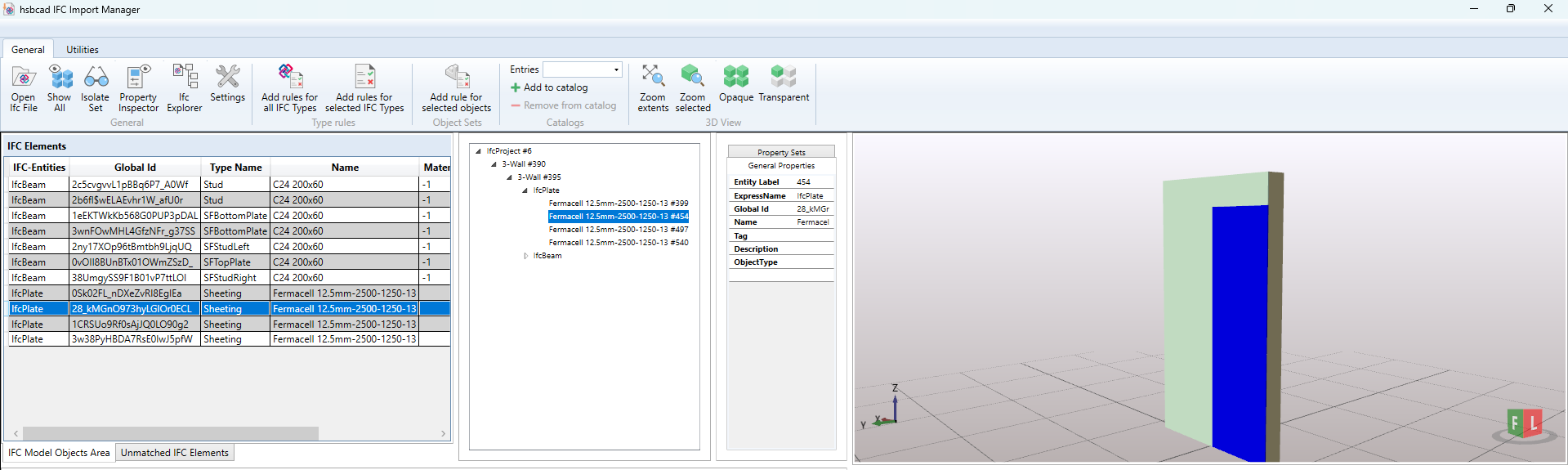
- Generic wall element import – The IFC Importer now also supports importing generic wall elements, in addition to the wall types it already supported, broadening IFC compatibility for wall-based projects.
Nailing, Painter & Machine Output
Several tools used in the detailing and production phase have been refined:
- Nail SheetOnBeam – correct nailing around openings – The Nail SheetOnBeam TSL strategy previously did not always handle the area around openings (such as window or door cut-outs) correctly, which could place nails too close to an opening or in the wrong position. This has been fixed: nailing patterns now correctly follow the opening perimeter.
- Nail SheetOnBeam – additional properties – The tool now exposes additional configurable properties directly within the tool, giving users more control over how nailing is generated without needing separate scripts or workarounds.
- Painter – filters and grouping fix – Fixes an issue in the Painter tool related to adding filters and grouping.
- Painter – reorder rules by drag and drop – Rules in Painter can now be reordered directly by dragging and dropping them, without needing to delete and recreate rules to change their sequence.
- Painter – global catalog to avoid TSL filter conflicts – Painter now includes a global catalog that prevents different TSL filters from conflicting with each other when combined.
- Painter – shift-click multi-select – Painter now supports shift-click multi-select, so a range of items can be selected in one action.
- Corner relief cut (Eckfreistich) for BVX and BTL – When cutting sharp corners, an additional relief cut is sometimes needed so the corner separates cleanly (known as Eckfreistich, or corner relief cut). This cut type is now available as a supported option for machine files in BVX and BTL formats, reducing manual rework when preparing files for these machine formats.
Various Improvements & Fixes
- Fixes an issue where additional beam distribution in the Framing Styles Editor could produce inconsistent or unexpected results.
- The Compare Bodies tool, used to check geometric differences between elements, now also works with Child Panels and 3D Solids, not only standard elements as before.
- A new advanced setting lets users control whether metal-part entities automatically recalculate when their underlying block definition changes, avoiding unwanted recalculations triggered by unrelated changes elsewhere in the block.
- Insulation areas can now be included when exporting to BTLx, so this information is no longer limited to the hsbcad model and travels with the file through to production.