
Jump to section


Sie können die gesuchte Antwort nicht finden? Keine Sorge, wir sind hier, um zu helfen!
Kontakt zum SupportVersion 30 of hsbMake
New and improved in hsbMake Version 30
hsbMake Version 30 strengthens the connection between design and production and extends direct machine integration on the shop floor. Projects can now move into hsbMake directly from hsbDesign or from an IFC file, without a full hsbMake Office installation, while new connections to Hundegger Cambium and Randek keep machines and data in sync automatically. Quality Checks, software updates, and issue handling in hsbMake Office are also more streamlined. And this release includes a first preview of a redesigned hsbMake Office interface, shared to gather customer feedback.
Explore the new features of hsbMake 30 in more detail with our dedicated video tutorials, featuring demonstrations of how each feature works: Watch the YouTube Playlist
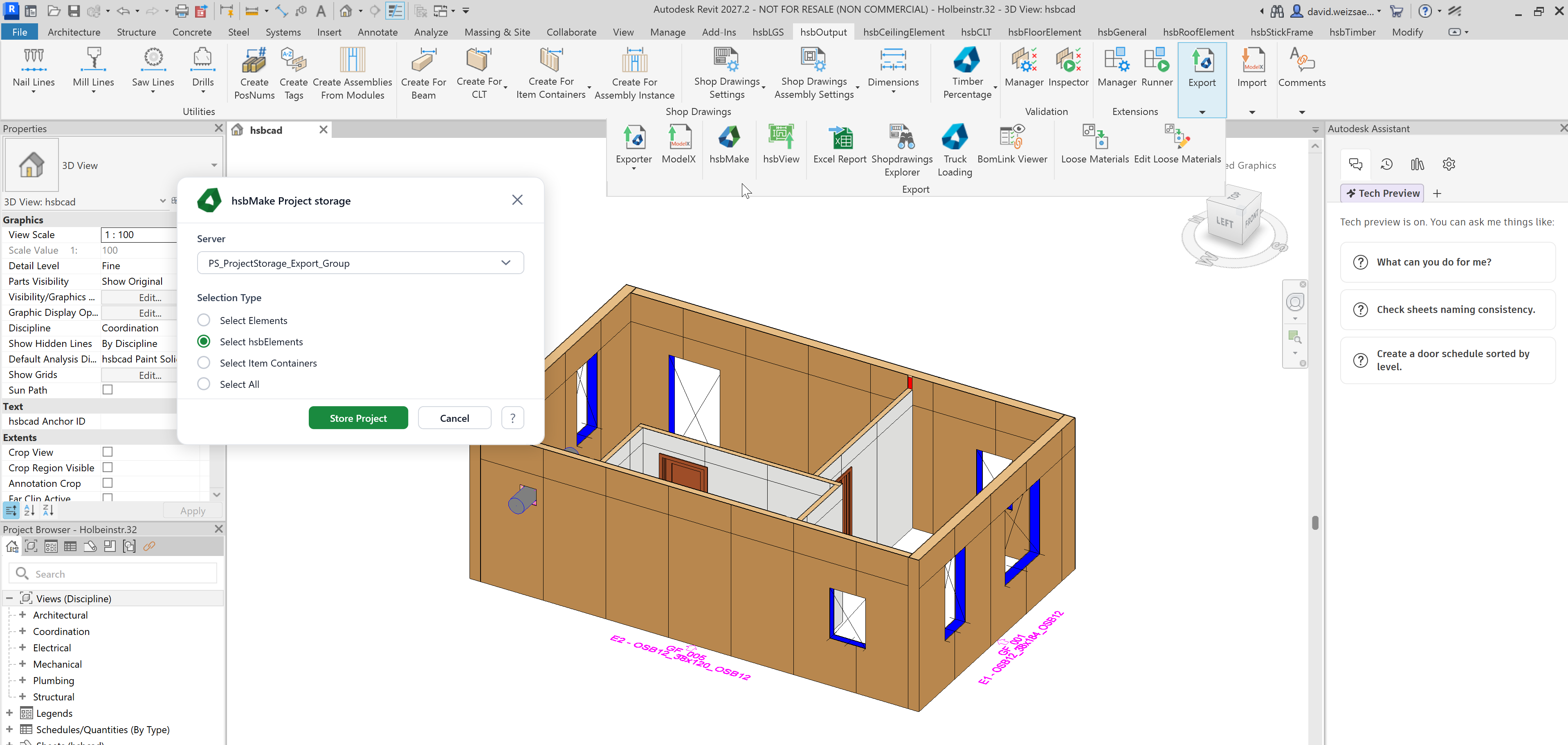
Project Storage from hsbDesign
Designers can now store projects directly into hsbMake from hsbDesign (Revit or ACA) without needing a full hsbMake Office installation. This avoids unnecessary licence consumption for design-only workflows, reduces installation, maintenance, and support overhead for teams with multiple designers, and lowers the risk of version conflicts between hsbDesign and hsbMake.
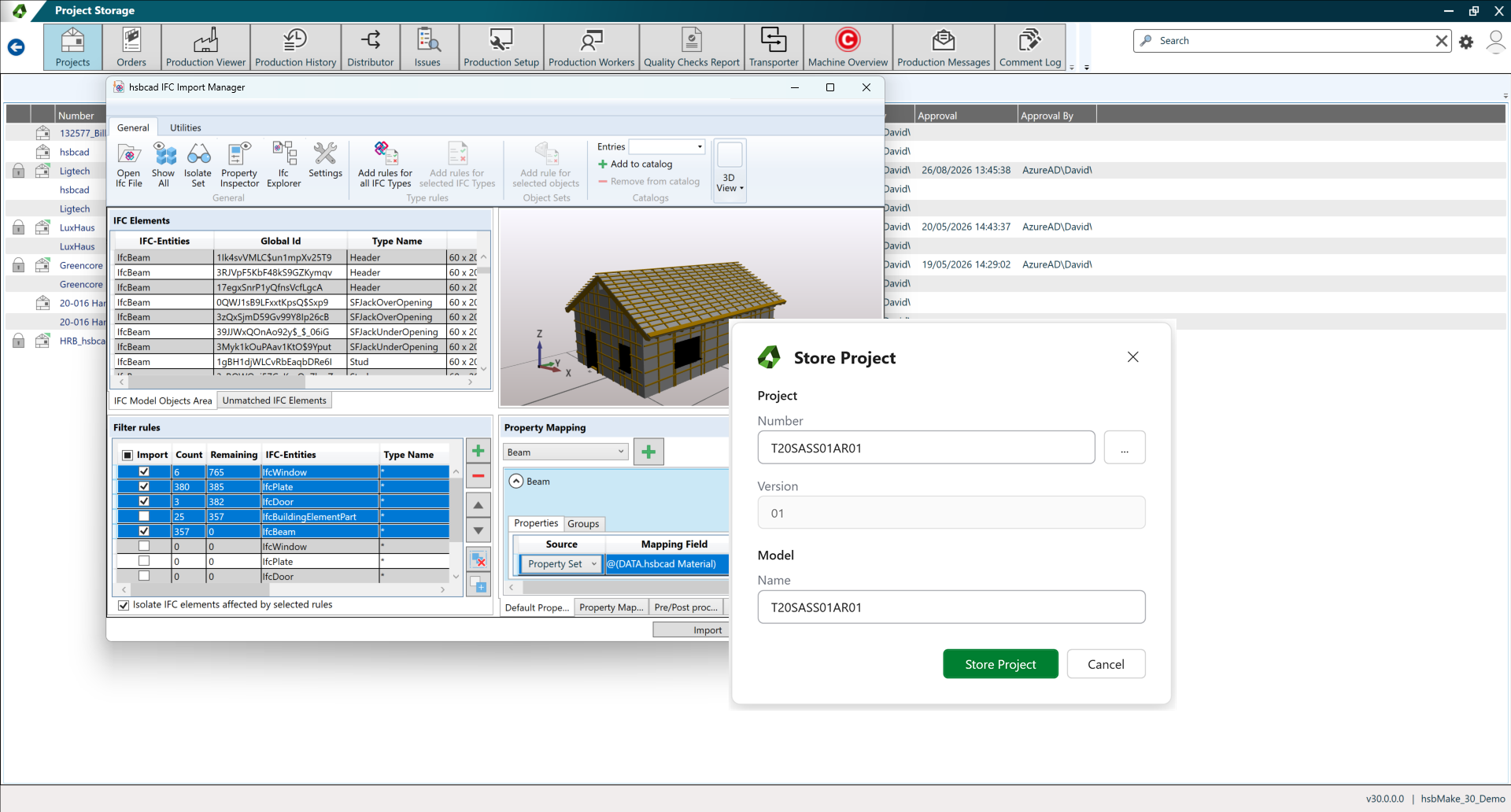
IFC Import and Project Storage from hsbMake Office
Production managers working with external CAD tools can import an IFC file directly into hsbMake Office and have the resulting project automatically queued for production. This opens hsbMake to teams that design outside of hsbDesign, removes manual setup steps between design and production, and creates a faster path from an IFC model to a production-ready order.
Hundegger Cambium Smartlink
hsbMake now connects directly to Hundegger Cambium CNC machines: automatic job transfer, automated nesting, and real-time machine status and stop-event feedback remove the need for manual booking through Cambium Smartlink. Hundegger machines now behave like any other connected production station, with real-time visibility of machine status and production progress, and far less manual interaction between hsbMake and Cambium.
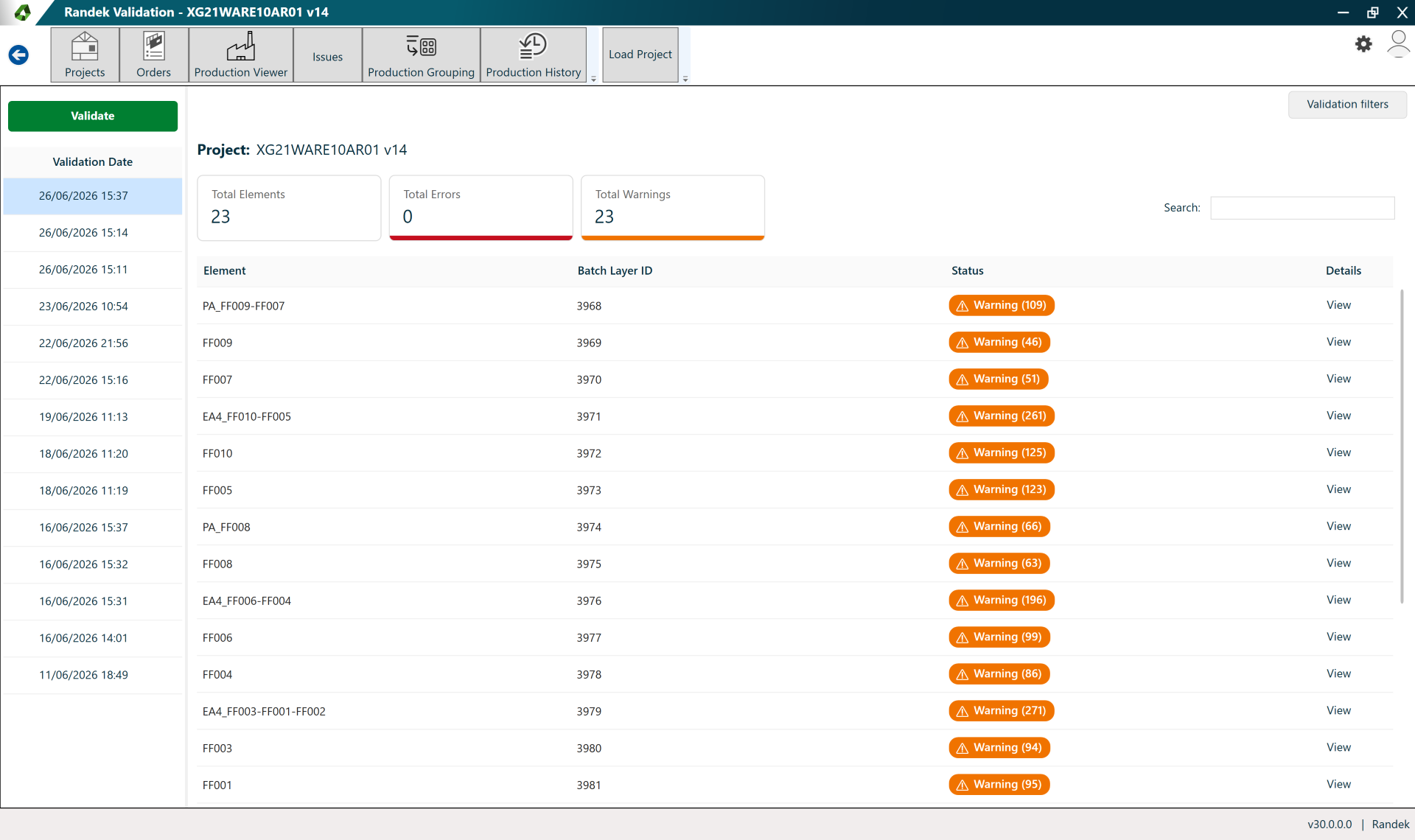
Randek CDT Validation
hsbMake can now validate CDT files against Randek machine requirements before production: a full project, parts of a project, or a single production order can be validated on demand. This ensures only production-ready data reaches Randek machines, catches errors automatically at release time before they reach the shop floor, and stores validation results for traceability.
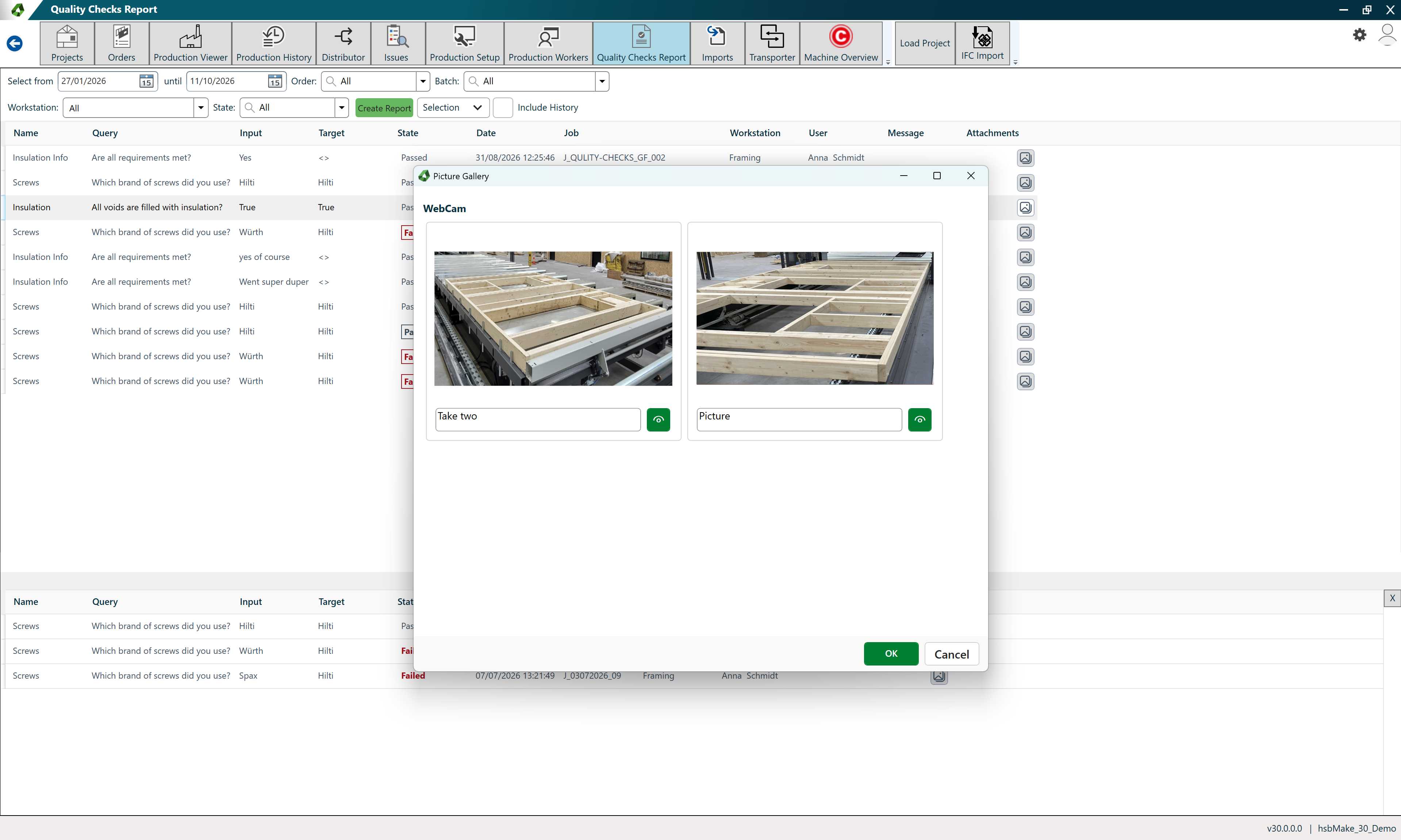
Quality Checks | Enhancements for Version 30
The Quality Check feature has been extended with:
- Colour-coded booking restrictions and explanatory tooltips
- Checks based on classification
- The ability to view pictures taken via the hsbClient app and hsbClient Desktop
- Quality checks during configuration export/import
- Improved filtering in the Quality Check report
Together, these updates make booking restrictions easier to understand at a glance, quality checks more targeted, traceability better through linked photos, configuration import/export more reliable, and Quality Check reporting faster and more focused.
hsbMake Auto-Update
hsbMake Office and hsbClient can now update automatically from hsbServer the next time they start, replacing manual installation on every workstation. This dramatically reduces rollout effort, especially for larger factories, keeps software versions consistent across the whole factory, and lowers downtime and the risk of version mismatch between server and clients.
hsbMake Office | UI/UX | New Look and Feel
Preview: this is an early look, shared to gather customer feedback.
hsbMake Office is being rebuilt on a new base UI using the Fluent Design System, giving Designers and Production Managers a more modern, consistent experience across projects, orders, settings, and reporting. This delivers a more intuitive interface tailored to each user role, clearer feedback on background processes and running actions, and more control from within hsbMake Office itself, without switching to separate applications.