
Sprung zum Abschnitt


Sie können die gesuchte Antwort nicht finden? Keine Sorge, wir sind hier, um zu helfen!
Kontakt zum SupportHow to speed up AutoCAD® Architecture
How to speed up AutoCAD for better performance video
In this video we will learn about how to speed up AutoCAD® Architecture for better performance, optimize AutoCAD® Architecture settings for faster drawings, improve workflow efficiency in AutoCAD® Architecture, reduce lag in large projects, enhance rendering speed and stability, manage layers and blocks efficiently, clean up drawing files for speed, adjust graphics settings for AutoCAD® Architecture, use hardware acceleration effectively, minimize slow commands in AutoCAD® Architecture, optimize layouts for faster performance, AutoCAD® Architecture performance improvement tips, speed up drawing navigation, boost AutoCAD® Architecture responsiveness quickly
Watch the Video
Change a setting in the graphical card
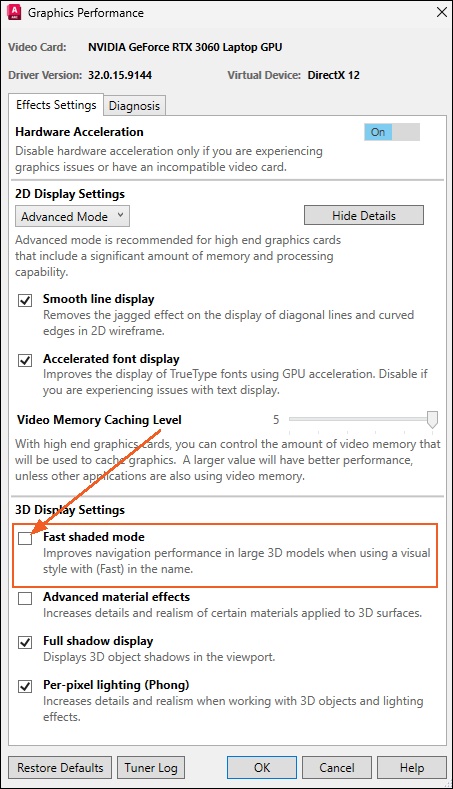
Type GRAPHICSCONFIG in the command line in your AutoCAD® Architecture and the Graphics Performance dialog box pops up.
Deselect the Fast shaded mode, so your drawing will react faster instead of reacting slower.
More interesting documents
System requirements for hsbMake applications
System requirements for hsbDesign on AutoCAD Architecture and Revit
How to speed up AutoCAD® Architecture