
Jump to section


Can’t find the answer you’re looking for? Don’t worry we’re here to help!
Contact supportHow to convert .hmlx files to export files
This document describes step-by-step how to start the hsbExportManager (the Standalone Exporter), how to read a .hmlx file, and how to perform an export from that file.
BLOCK_INFO_START
All of your exports/ groups and settings are stored in your current hsbCompany folder.
BLOCK__END
BLOCK_INFO_START
Before you start exporting don’t forget to number all your entities. More information about numbering entities can be found in the article: Add numbering.
BLOCK__END
Step 1 - Finding and starting the hsbExportManager
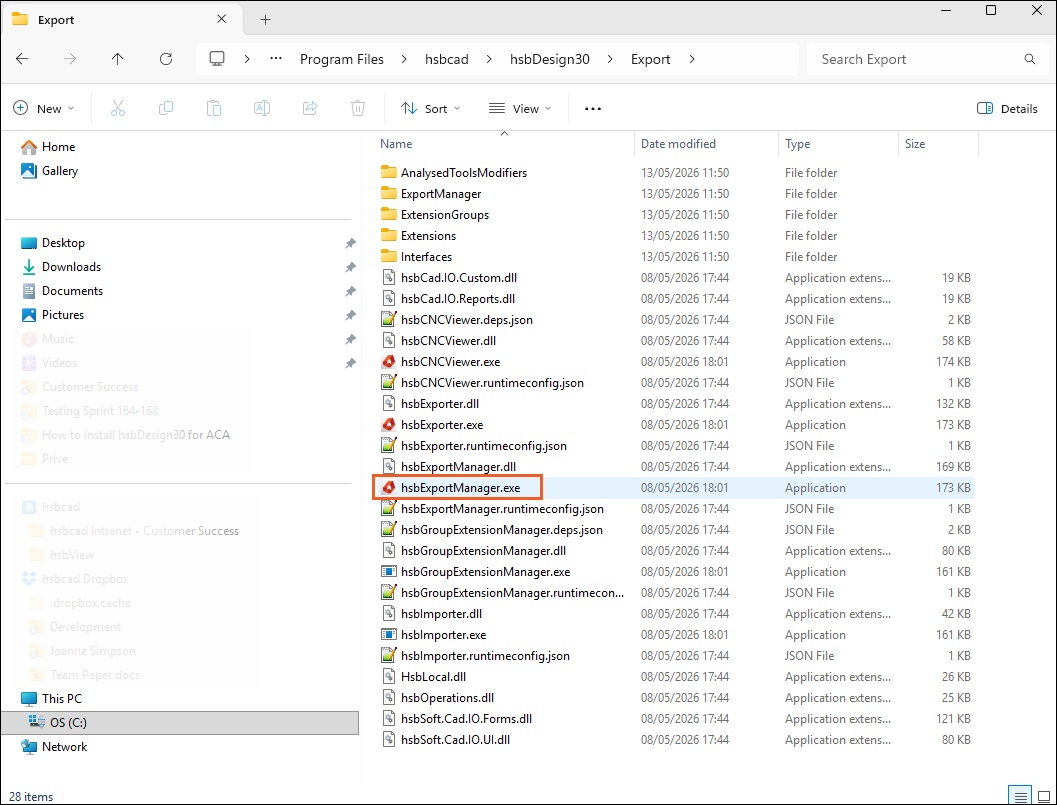
The hsbExportManager can be found in the hsbDesign installation folder, in the Export subfolder.
- Navigate to: Program Files → hsbcad → hsbDesign<...> → Export.
- Locate the hsbExportManager (Application) file and double-click it to launch it.
Step 2 - The hsbExportManager dialog box
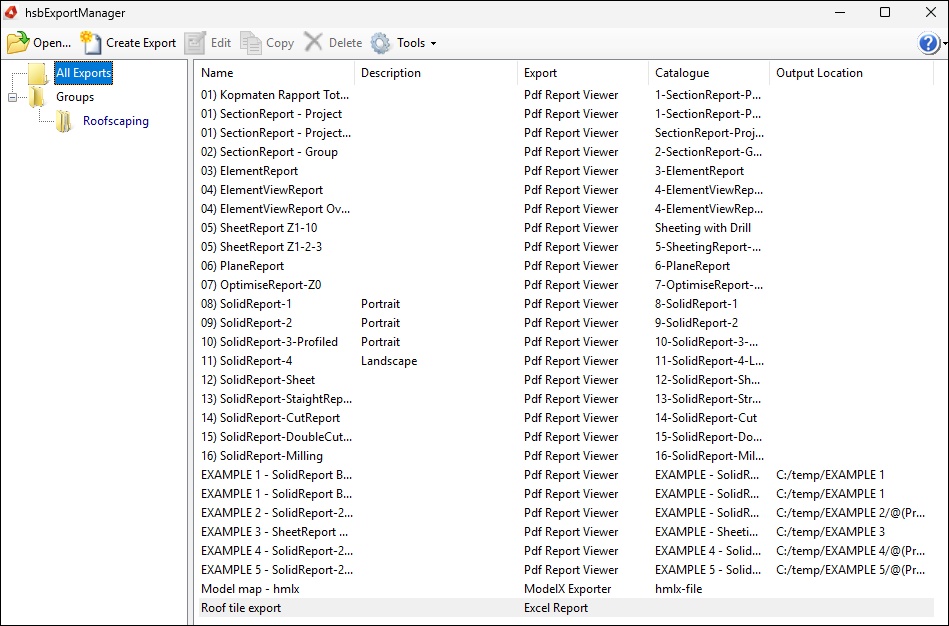
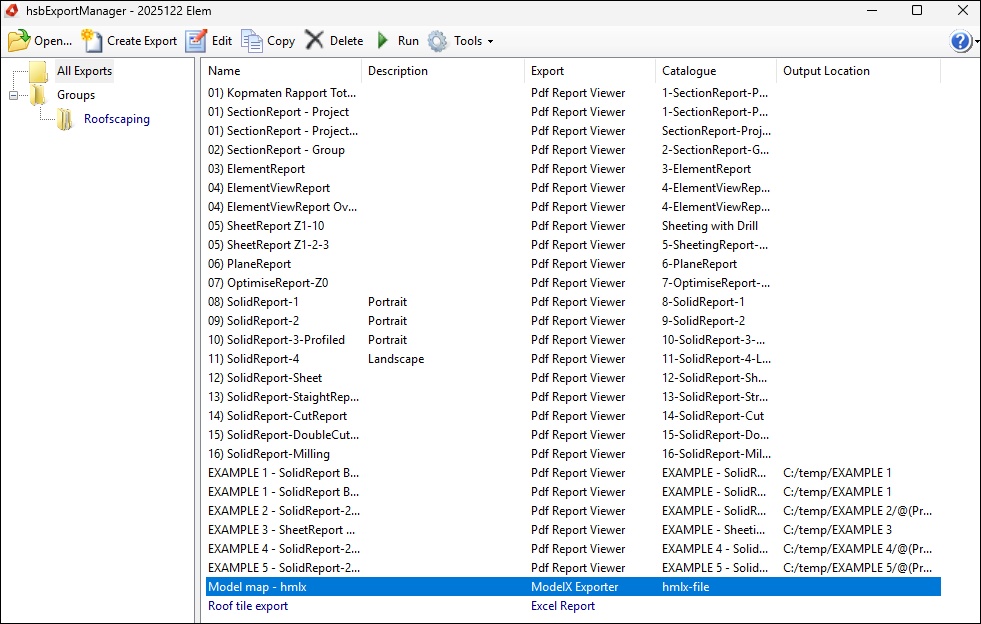
After startup, the hsbExportManager Dialog box opens with a list of available exports (for example, PDF reports, the ModelX Exporter, Excel Report, ...).
Step 3 - Select ''Open''
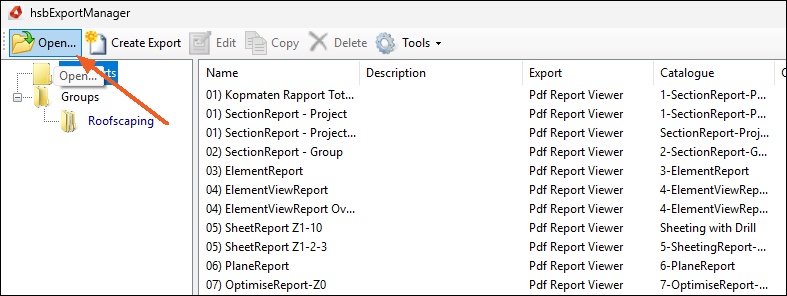
Select Open in the top left corner of this dialog box.
Step 4 - Loading a .hmlx file
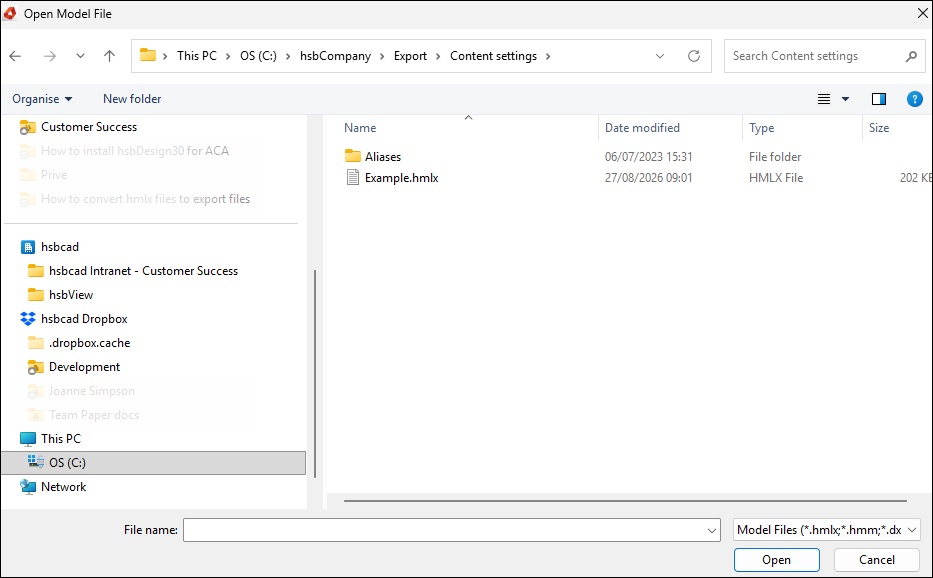
A Dialog box opens and filters by default for model files (*.hmlx; *.hmm; *.dxx).
- Browse to the location of the .hmlx file.
- Select the file and select Open.
Step 5 - Select and execute an export
As soon as the model is loaded, the file name appears in the window's title bar and the Run button becomes active.
- Select the desired export from the list (for example, a report or the ModelX Exporter).
- Select Run to execute the export.
Summary
- Start hsbExportManager.exe from Program Files\hsbcad\hsbDesign<...>\Export.
- Select “Open…”.
- Select the .hmlx file and select Open.
- Select the desired export from the list and select Run.
More intressting documents
Essential Guide to hsbExport | hsbExporter (Video)
hsbExport | How to create an Export /Group (Video)
hsbExport | How to Import PDF Settings in the Exporter (Video)