
Jump to section


Need Support?
Can’t find the answer you’re looking for? Don’t worry we’re here to help!
Contact supportHow to delete a hsbcad Account
This document will show you how to delete your hsbCad Account.
Once you have made a hsbCad account and want to delete this account
- Select your account in the top right hand corner of the Myhsbcad page (https://myhsbcad.com/)
- Select User Account
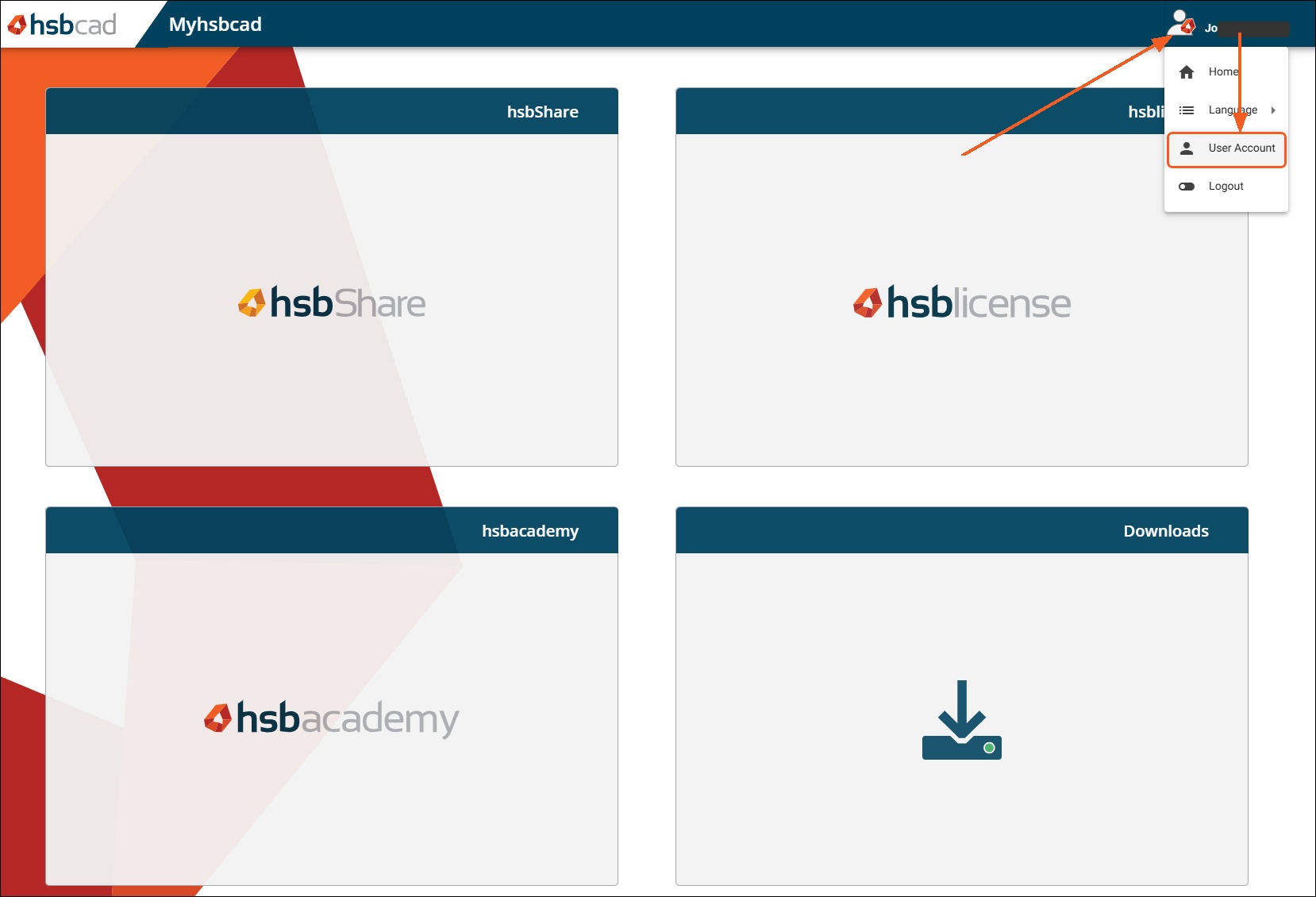
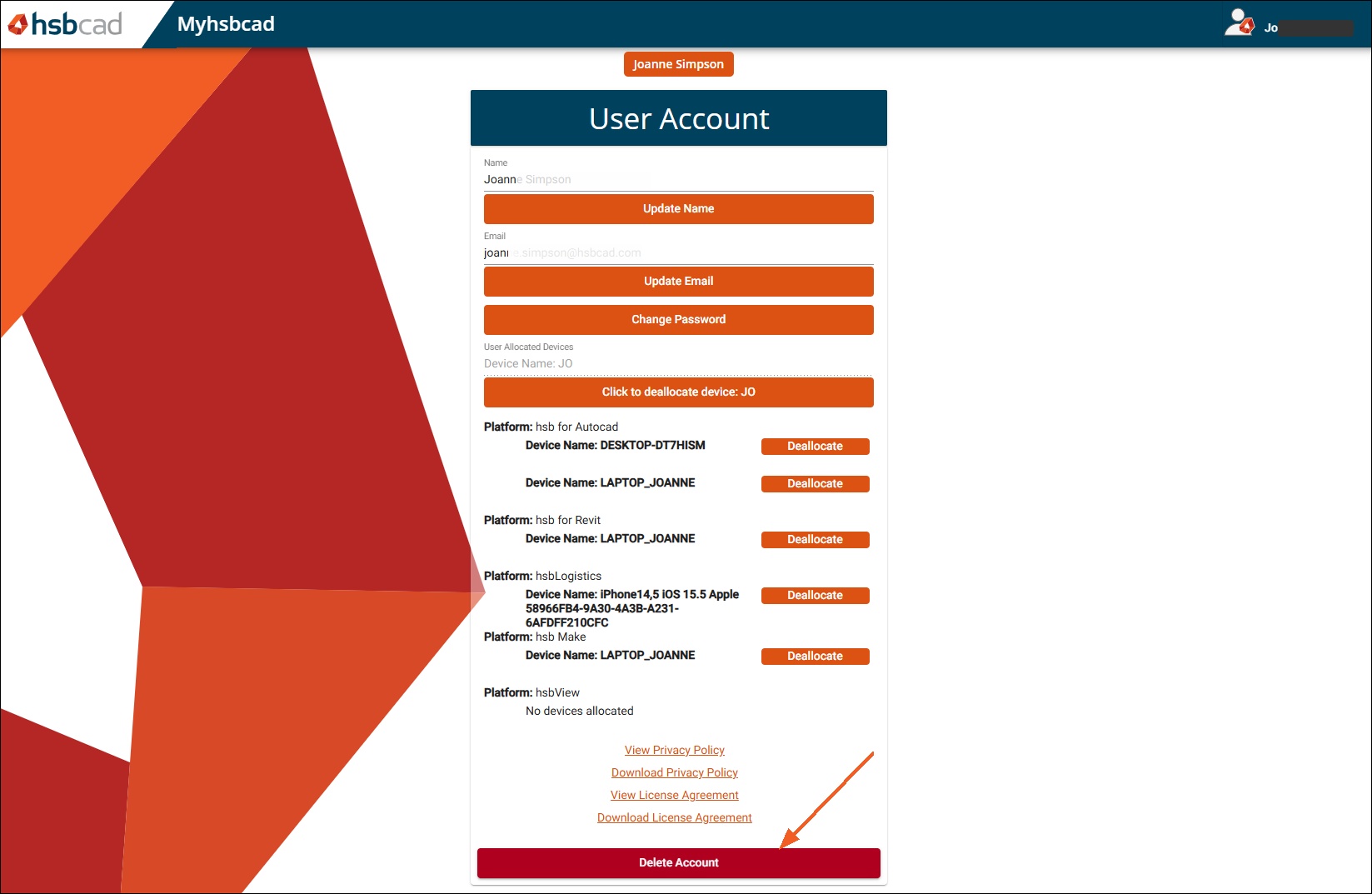
- This will open the following page
- Select Delete Account at the bottom of the page
delete account, how to delete a hsbcad account, how to delete