
Jump to section


Need Support?
Can’t find the answer you’re looking for? Don’t worry we’re here to help!
Contact supportHow to update the AutoCAD® serial number
How to Change your Serial number
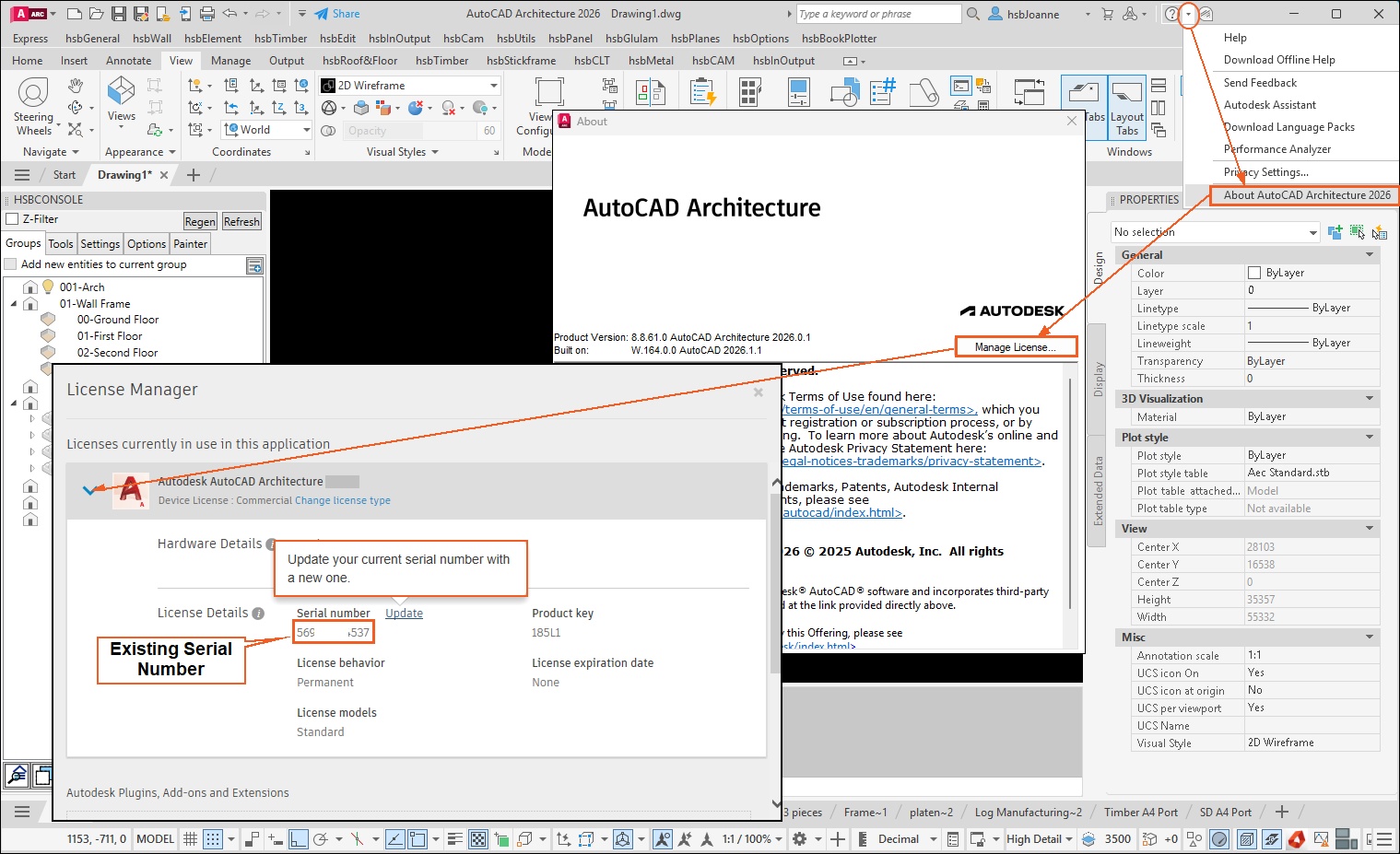
How to find your serial number
Directly Within the AutoCAD Architecture Application
If you are already logged in and the software is running on your machine, you can view the active license details directly inside the program.
1. Open AutoCAD Architecture.
2. Type ABOUT into the command line and press Enter.
3. In the "About" window, click on Manage License or Product Information (usually in the top right corner) .
4. Your current serial number will be listed in the details.
How to Update the ACA serial number, serial number, serial